Introduction
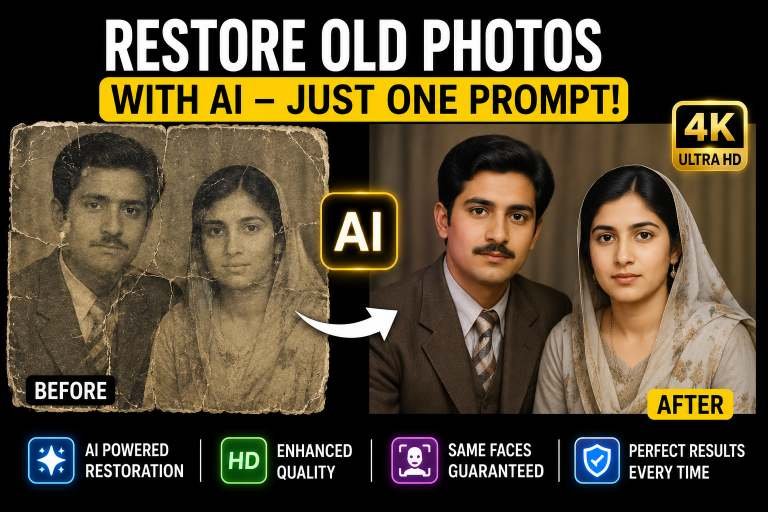
If we talk about a short time ago, when AI was not known, people used professional tools like Photoshop etc. to edit their pictures. And many people had this problem that if they went to restore a picture of their loved ones that was taken a long time ago and it was a torn old picture, then they would have to spend a lot of money because it took a lot of effort to restore old photos. In addition, those photos could not be restored properly because it was not possible to restore the photo completely by using only some tools in Photoshop. Rather, they would make your photo viewable by editing it a little, but the full restore option was not available. But since AI has come, AI has changed this whole game. If you give AI a chrome, AI will restore your photo and make it look like the photo was taken yesterday.
How to restore old Picture
Today In this article, I am going to explain to you in full detail how you can use an AI tool to restore your old, damaged pictures with just one click, no matter how old your picture is. And in today’s article, I am going to provide you with the details of these AI tools and also the promises that you can restore your pictures by just copying and pasting them. Through AI tools, by the way, if you upload your picture to any AI and ask it to restore, it will do it, but if you use Chrome, it will work perfectly.
Tools to restore your video
First of all, if you talk about which tool you can use, then the first one is Google’s Gemini I tool and the second one is Chat GPT. Both these tools are very best tools. Both are AI chat bots and the quality of the picture they give is very great. You have to give Justin a promise to upload your old picture and after a few seconds, your old picture will be restored.
Three prompts for different Photos
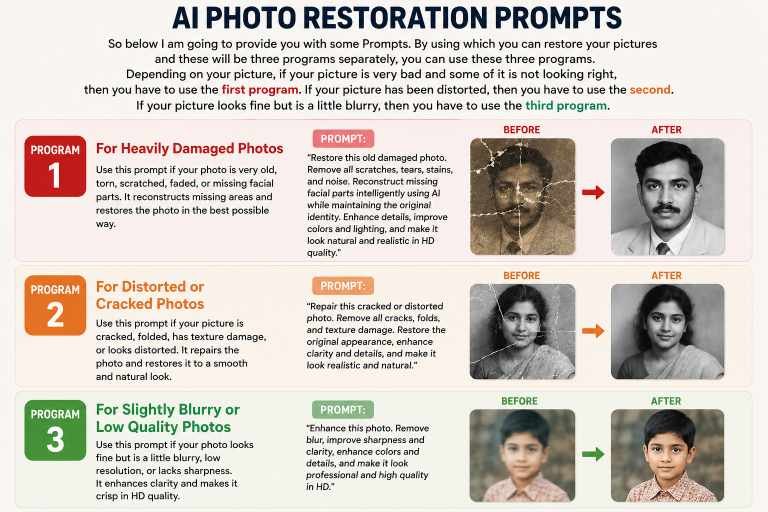
So below I am going to provide you with some Prompts. By using which you can restore your pictures and these will be two or three programs separately, you can use these three programs. Depending on your picture, if your picture is very bad and some of it is not looking right, then you have to use the first program. If your picture has been distorted, then you have to use the second. If your picture looks fine but is a little blurry, then you have to use the third program.
Prompt For Perfect result
Chat GPT I have just uploaded one of my pictures. This picture is very old and it is very important for me. The characters in this picture are not visible because these pictures are very old. I want you to restore this picture. All the characters in it should match perfectly and after restoring, convert it to F4 quality, enhance it and no character should be changed from the real picture. Remove the blur and the effect of the picture being torn and convert it to realistic mode in 4K quality.
2nd Prompt
Chat GPT I have just uploaded a picture. I want to restore this picture. This picture is blurry and it is a very old picture of mine and it is a very important picture for me. So please restore it. Remove as much blur and the effect of the picture being torn and convert it to 4K realistic quality. After that, it will look like this picture has just been made. And remember that the faces of all the characters should not be changed. They should be exactly the same face.
Third Prompt
Okay, I have uploaded an old picture of mine, which is old. I want to restore it. This picture should look like it was just taken from an iPhone. Restore it and convert it to 4K HD quality. Remember that all these There is a fee in the picture, it should remain intact, nothing should be changed, just restore the same old picture as if it had just been taken.
Master Prompt for All Type Pictures
Below is mater prompt given if you have any type of photo you want to restore just use this prompt and you will be surprised with the results.
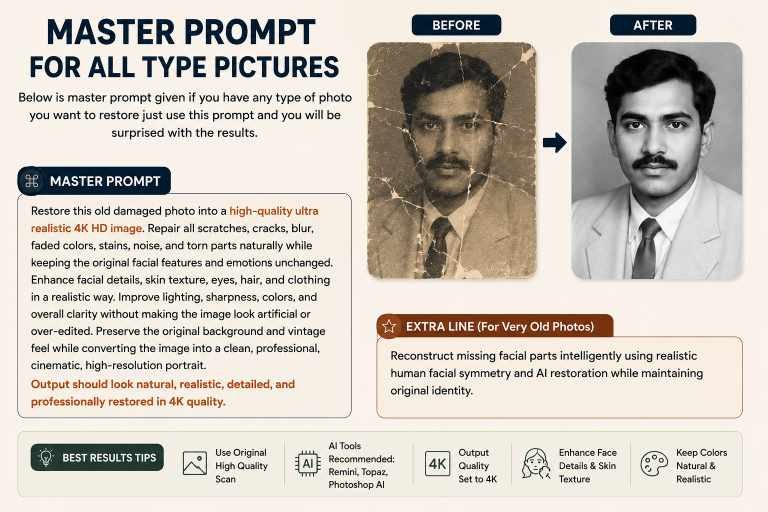
Restore this old damaged photo into a high-quality ultra realistic 4K HD image. Repair all scratches, cracks, blur, faded colors, stains, noise, and torn parts naturally while keeping the original facial features and emotions unchanged. Enhance facial details, skin texture, eyes, hair, and clothing in a realistic way. Improve lighting, sharpness, colors, and overall clarity without making the image look artificial or over-edited. Preserve the original background and vintage feel while converting the image into a clean, professional, cinematic, high-resolution portrait. Output should look natural, realistic, detailed, and professionally restored in 4K quality.
Ad this extra line if the picture is too much old
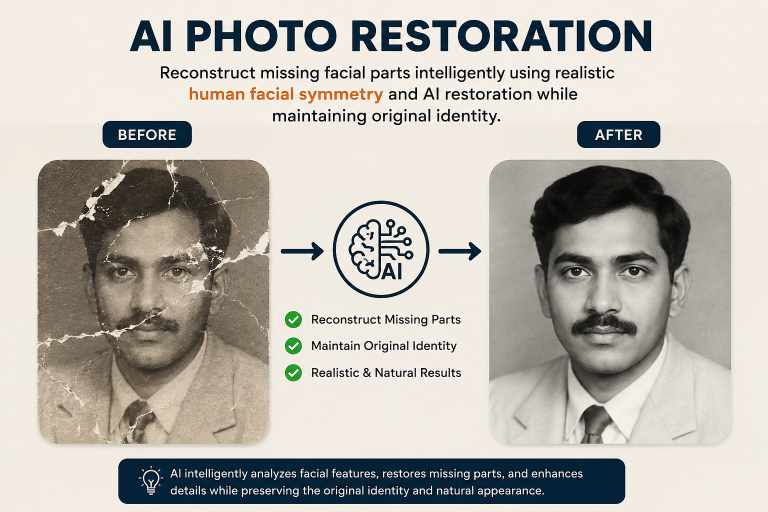
Reconstruct missing facial parts intelligently using realistic human facial symmetry and AI restoration while maintaining original identity.
Conclusion
In today’s article, I told you a great way to use which you can now restore any of your old pictures using a promo code in just one click, no matter how old your picture is and no matter how blurry the picture is. Using AE, you just have to enter a promo code and after that it will be done and it will look like you have just taken that picture. Apart from this, I have also provided you with promo codes which you can use to register the picture.