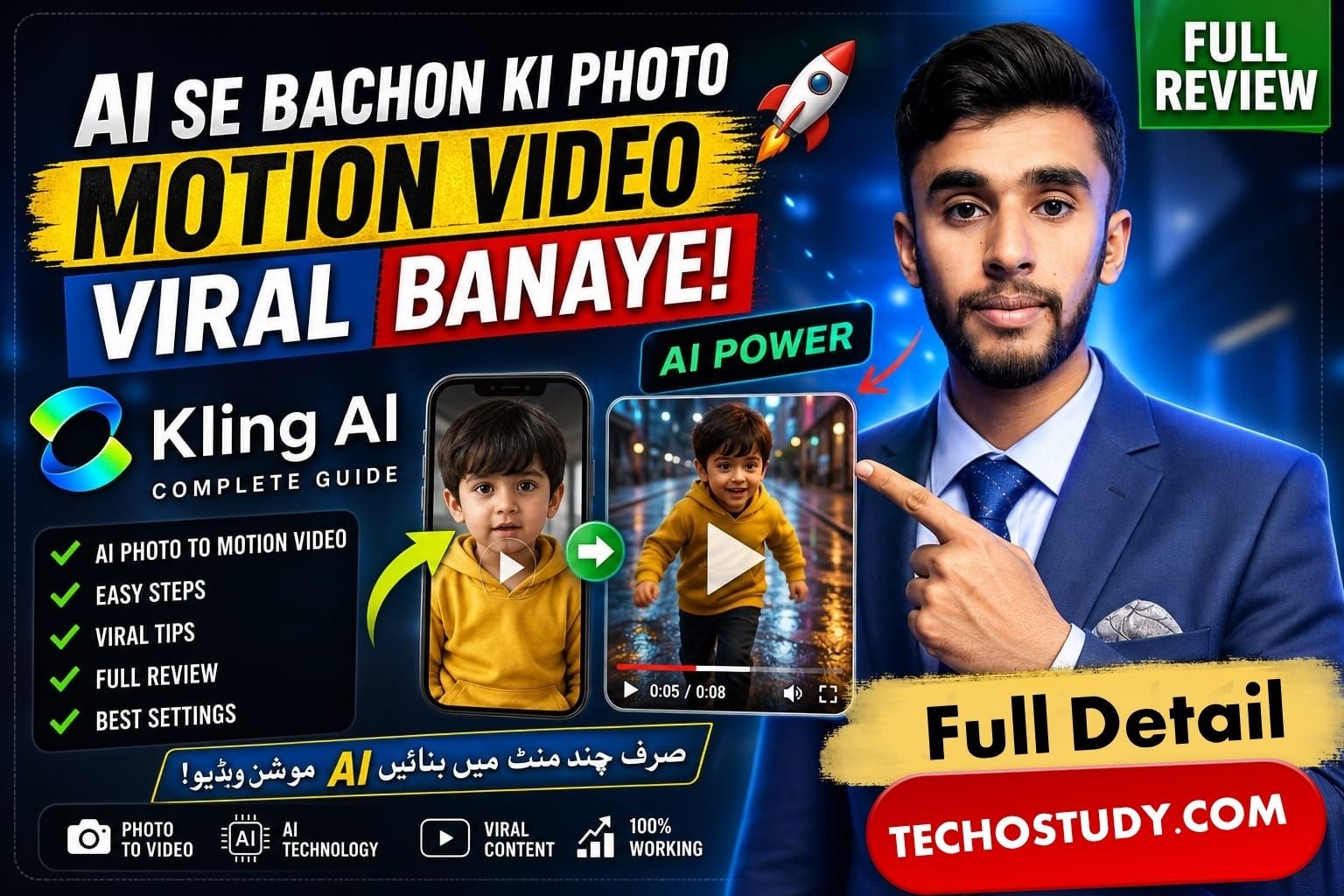
Today, the videos of small children with motion are going viral on TikTok, YouTube, Instagram and any content creator who is making and uploading such videos are getting millions of views and many people also want to know the tutorial on how to make such best motion videos. So, in today’s article, I am going to explain to you in full detail that if you have any artistic clip, you can make a motion video of any of your children using it. It will work perfectly and, in this way, you can make any kind of motion video.
Application for Making these Videos
So, first of all, let’s see what we will need to make such a video. First of all, you will need an app called Kling AI. This is an AI application using which all the content creators are making motion videos and uploading them and getting millions of views. Now below I will take you from start to finish. I will explain in full detail how you can also create advanced A videos using this application.
Step No 1
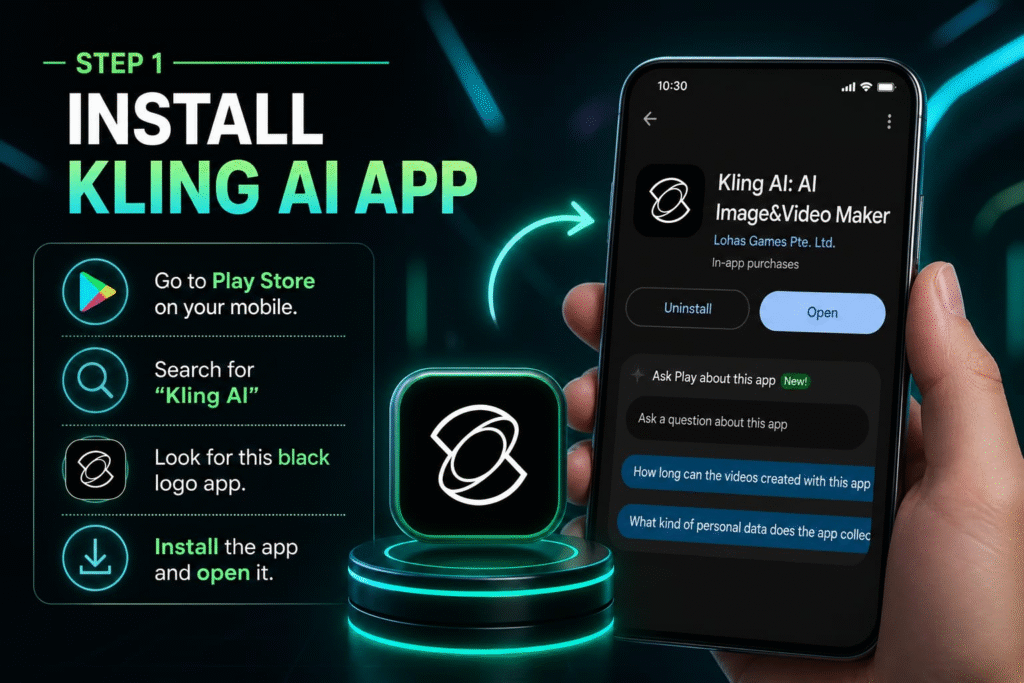
So, in the first step, you have to Get this application from the Play Store in your mobile, which is called Clean A app. If you search for it on the Play Store, this application will come with a black logo, which is shown in the picture below. Get this app in your mobile, then open it.
Step No 2
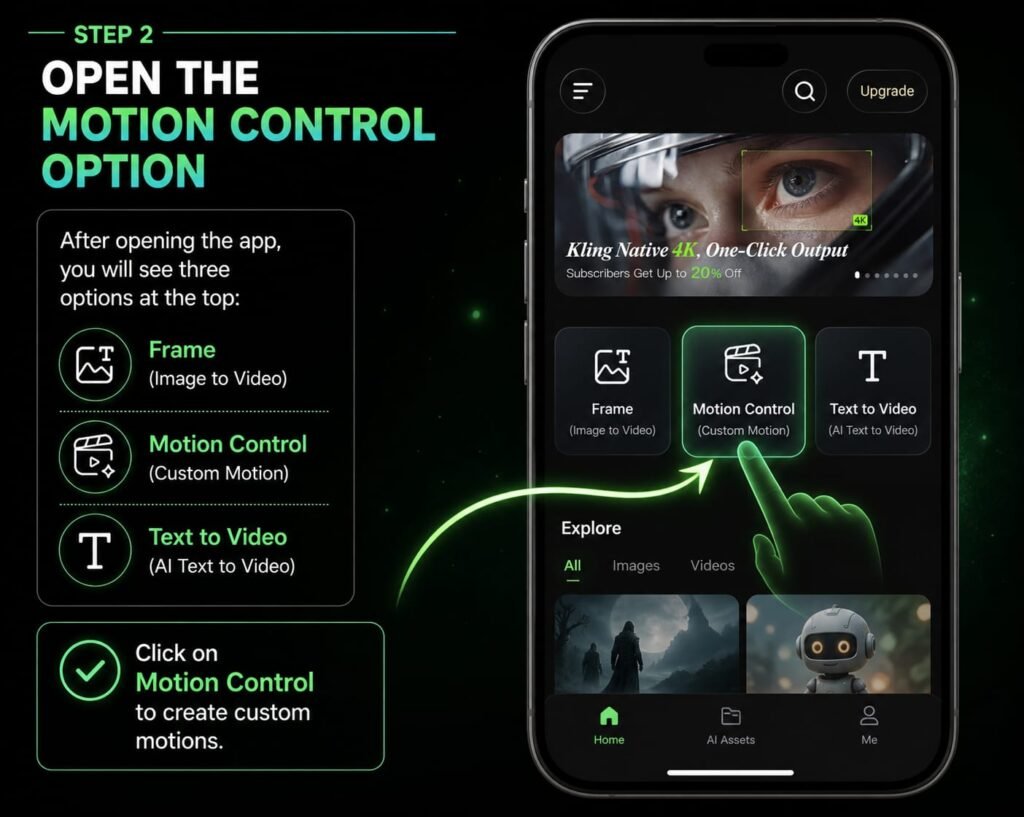
Now in the second step, after opening this application, you have to find an option there called Motion Control. By the way, you can also generate A pictures in this application. You will be getting a lot of templates below in front of you, using which you can also create videos, but our goal is that we want to create a custom video or convert this clip into motion using a custom clip. For this, you have to click on the Motion Control option, the other name of which is AI video
Now as soon as you click on this option, a page will open in front of you in which first of all you will get three options at the top, frame, motion control and text to video, but as we have to create custom motions for ourselves, then you have to click on the motion control action.
Step No 3
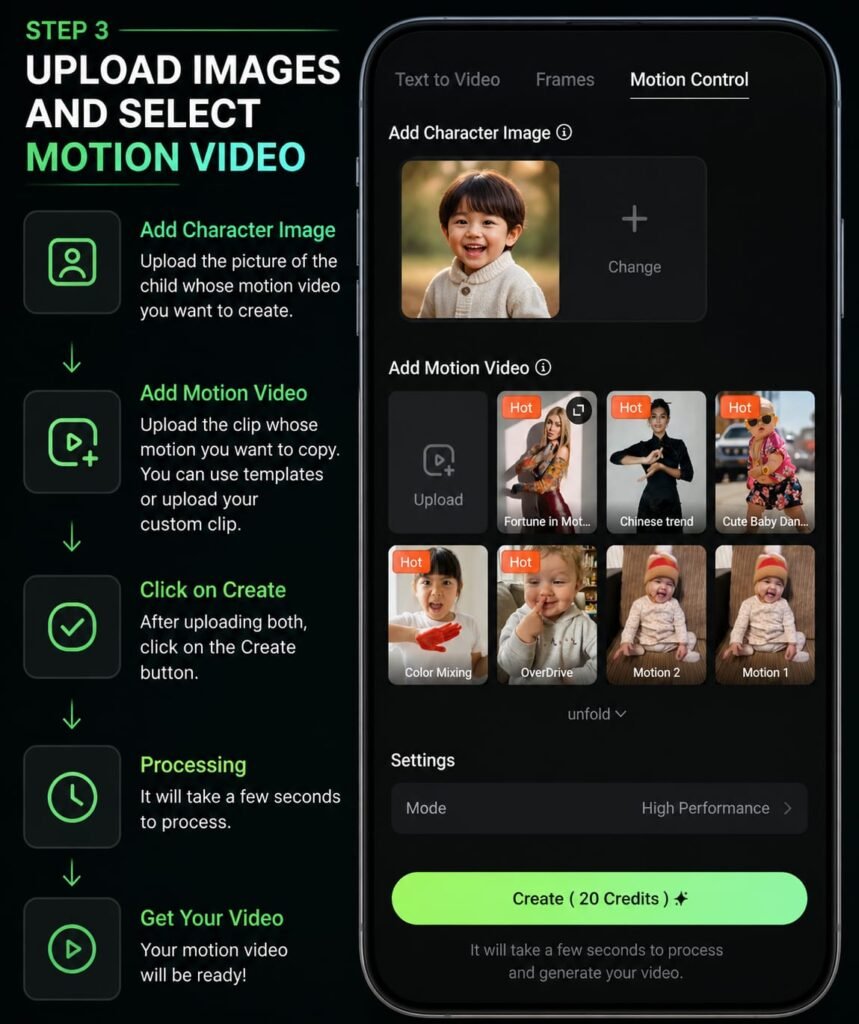
Now there will be an add character image, then there you have to upload the picture of the child whose motion video you want to make and below you will get the option of add motion video. Now you have to upload the picture of the clip whose motion you want to copy. In this option, if you want, you will get many templates there, which you can also use, but if you want to use a custom template or use a custom clip, then for that you will get the upload option there, which you can use. Now after doing all these steps there, you have to click on the create option, now it will take some time. It will process it in seconds and will give you a video.
Credits for Making Videos
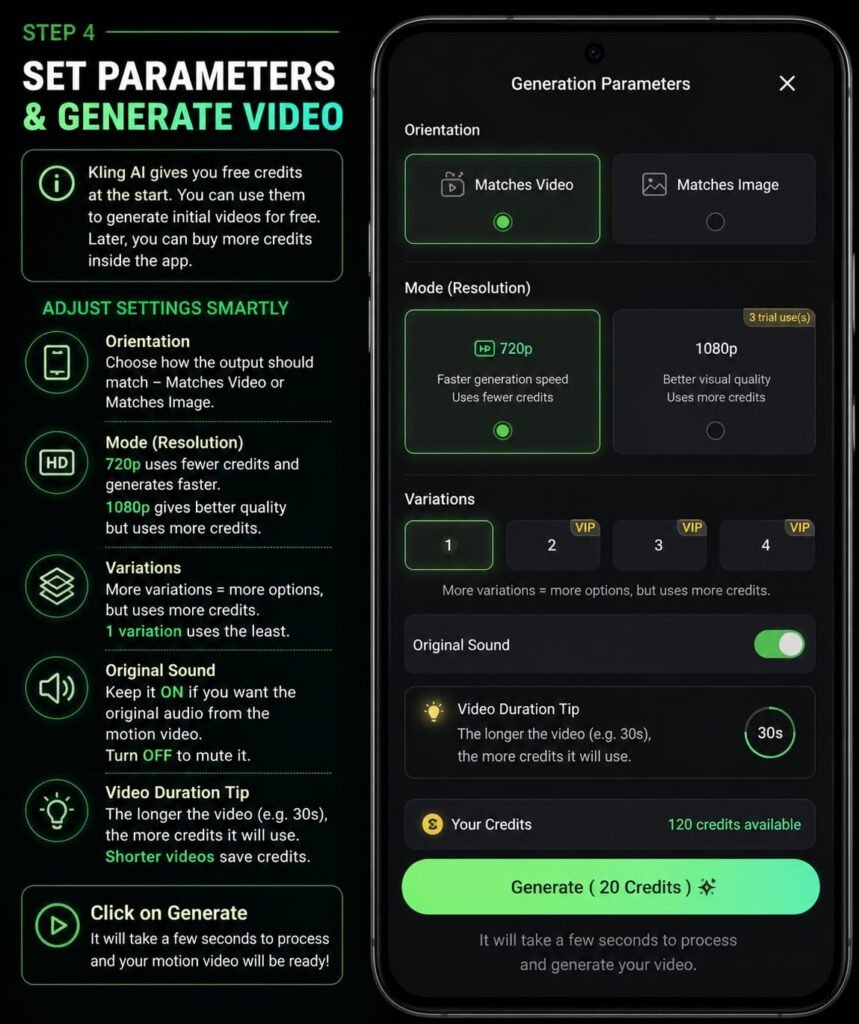
Now this application gives you some free credits at the start, by using which credits you can generate some of your initial videos on this application for free from this app. Later, you have to buy the credits that are in this application in their app. Now, if you want your credits to be used less and your video to be created, then before clicking on the generate button below, you will get some video settings, like if you want to create the video in 1080p resolution, then it has more edits, but if you create it in 720, then its credits will be a little less. Similarly, if you want to create the video and if you create the video for 30 seconds, then the credits will be more. By doing this, you can manage them and generate the video according to your credits. And all these features will be available to you in this application, which you can use. You can explore.
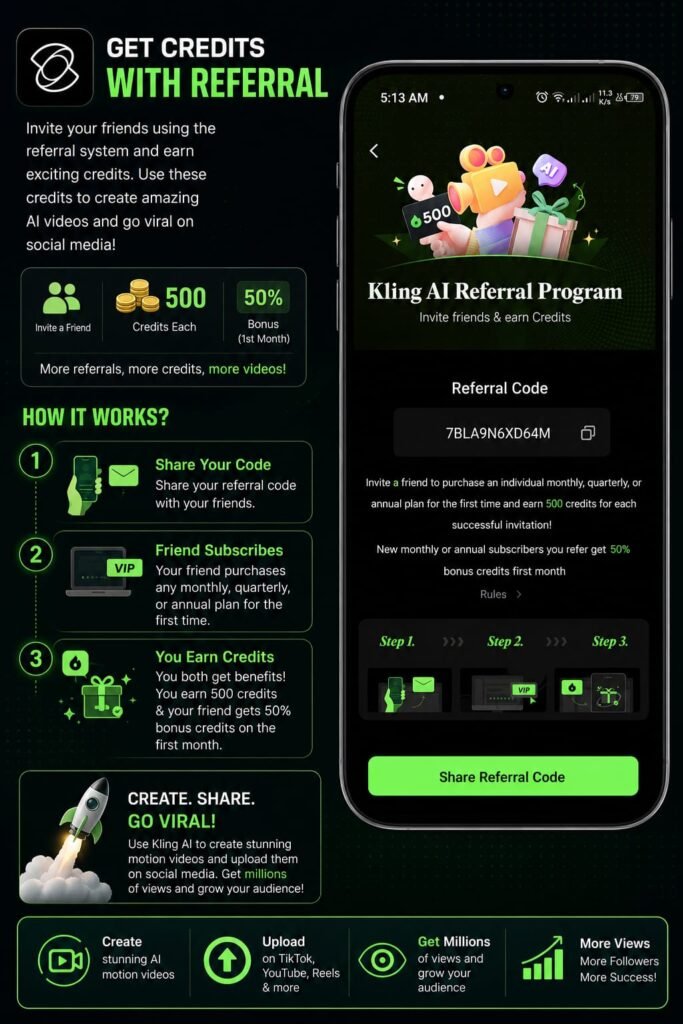
How to Get Credits of this App
If you want to get credits for this app, then you can use their referral system where if you refer any of your friends to it, the app will also give you credits. And using this feature, you can create videos and upload them on social media and get millions of views by uploading them on your social media platform.
How to Get this Application
Now let’s talk about how you can Get this application on your mobile, for this I have already mentioned above that first of all you have to open the Play Store and search for Kling AI there and the application will appear in front of you in black people, which you can easily Get on your mobile. And apart from that, if you have any other questions, you can ask them in the comment section, I will definitely answer you.
Conclusion
In today’s article, I have explained to you in full detail how you can easily create motion videos of children that are getting millions of views on various social media platforms on your mobile. By learning this tutorial today, you can create motion videos of children on any of your mobiles and you can copy their motion on any clip. And if you have any other questions, you can ask in the comment section.