Introduction
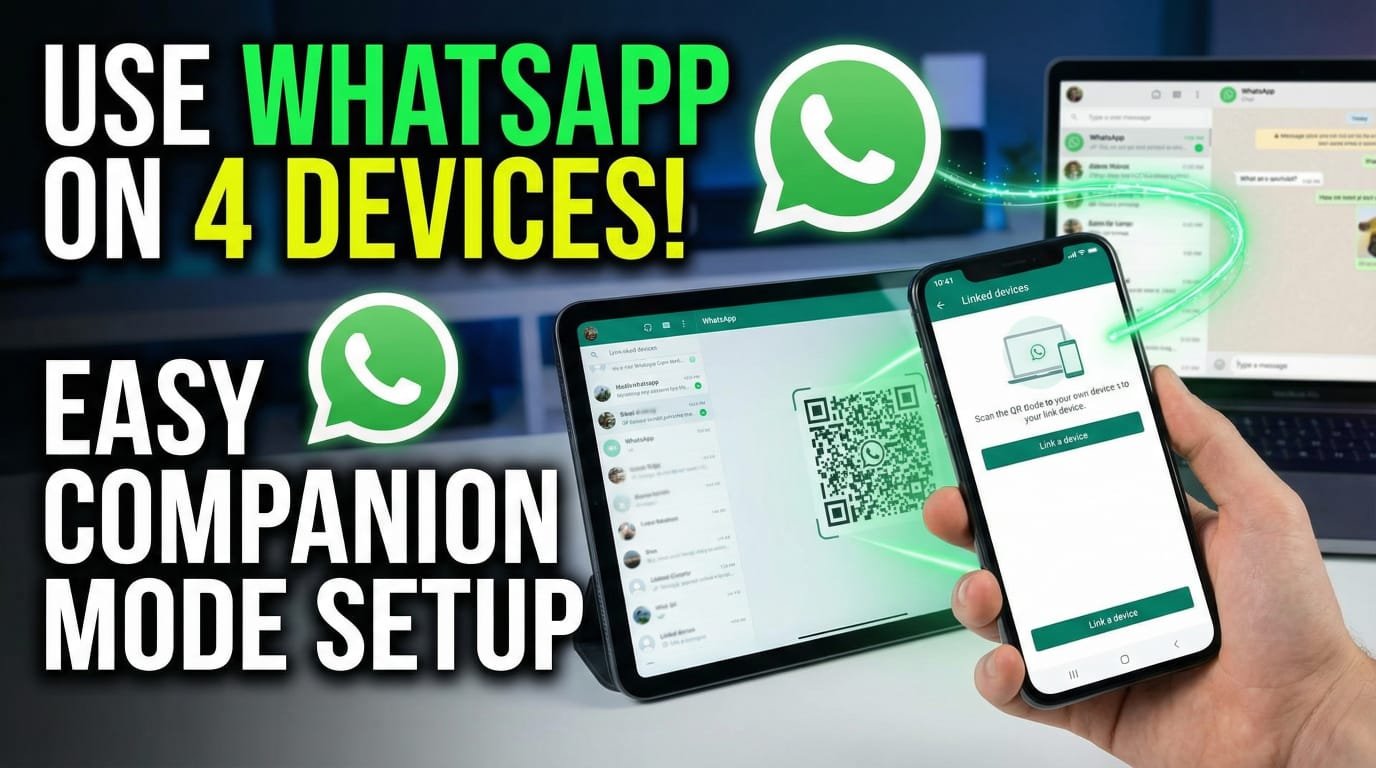
In today’s digital era, WhatsApp is not just a messaging app, but WhatsApp has also become a complete communication platform that has become the need of every user today, whether someone wants to do personal chatting or business related or do some online work. WhatsApp is being used everywhere today and today WhatsApp is being used in almost every corner of the world for communication and to carry out many important communication tasks. WhatsApp has many such features that make it very useful in using WhatsApp and are also very beneficial for WhatsApp users.

Why WhatsApp Became a Daily Need for Users
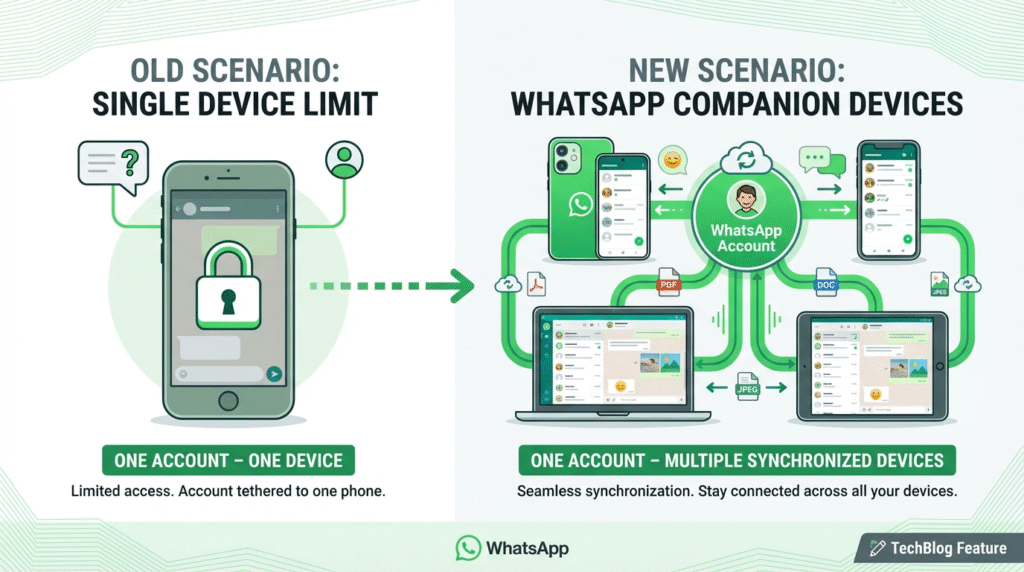
Now before that, there was a limitation in WhatsApp that one WhatsApp account could be used only on one mobile. Now many people had this need that they wanted to log in to their one WhatsApp account in their multiple devices so that they could get all the chats and files etc. of the same WhatsApp account. But at that time, WhatsApp There was a limitation that if you wanted to use more than one WhatsApp account, you had to register with a separate number, but WhatsApp has removed this limitation and added a new feature called Companion Device to WhatsApp, which makes the life of WhatsApp users a lot easier because by using this feature of WhatsApp, you can access and use your WhatsApp account on multiple devices and use this WhatsApp account freely.
In this article, I will explain to you in detail:
What is a WhatsApp Companion Device?
How does the Link Device feature work?
How to use WhatsApp without a mobile phone?
What are the benefits and limitations of WhatsApp Companion Device?
And I will do a full review of the security and privacy of WhatsApp Company Device.
What is WhatsApp Companion Device feature
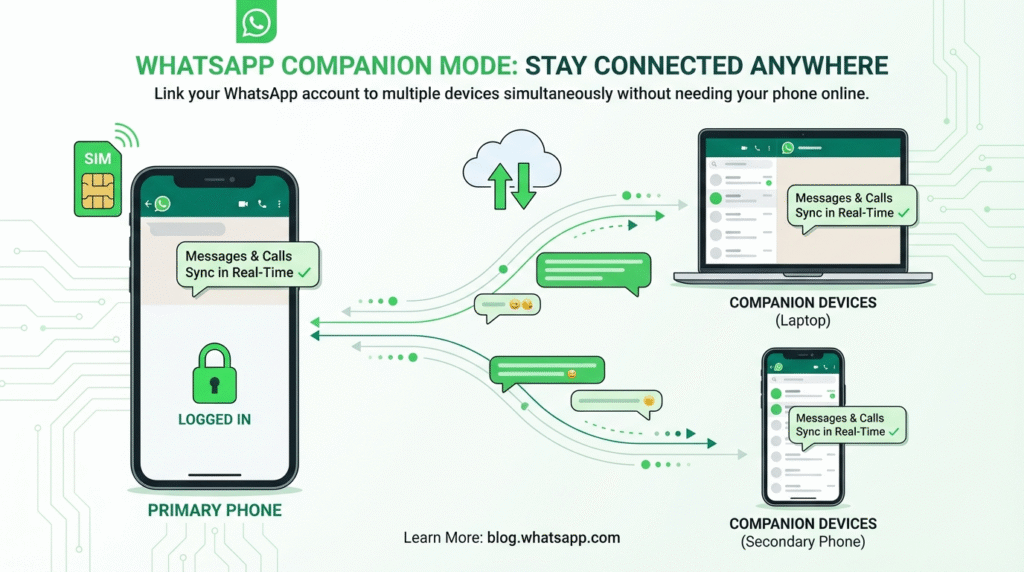
Now let’s first see what WhatsApp Companion Device means. Now WhatsApp has added a new feature by which you can use the same WhatsApp account on multiple devices without having to put a separate SIM number on each device or without registering with a new number. Now WhatsApp has officially launched this feature in its WhatsApp application and also promotes this feature as WhatsApp Link Device.
Example
If I give you an example of this, WhatsApp’s Companion Device feature works in such a situation that you have a primary phone where your WhatsApp SIM number is only registered and that is your primary device. Now you have a laptop or another mobile on which you want to register the same WhatsApp account, but you also want that WhatsApp is not logged out in your primary phone, then you can use this feature and open this WhatsApp on your laptop and mobile at the same time. You can also use it and apart from that, your WhatsApp app which is on your primary mobile will also not be logged out.
What is WhatsApp Web and its limitations
Now if I talk about WhatsApp Web, it also worked in the same way but it had many limitations. WhatsApp Web was available only for laptop or PC users for WhatsApp users. But there was a disadvantage in this too that as soon as the internet was disconnected from the mobile, WhatsApp Web stopped working. All the data depended on the phone. But after 2023, WhatsApp produced multi-device 2.2 in which they enabled end-to-end encryption and chatting without a phone and made independent device login possible. Now, by 2026, WhatsApp has made this feature so stable and fast that now, through this feature, you can access and use your primary WhatsApp account on multiple devices and it is also very secure. We will talk about its security in the next headings.
How to use WhatsApp Web if Primary Mobile is Not in Range
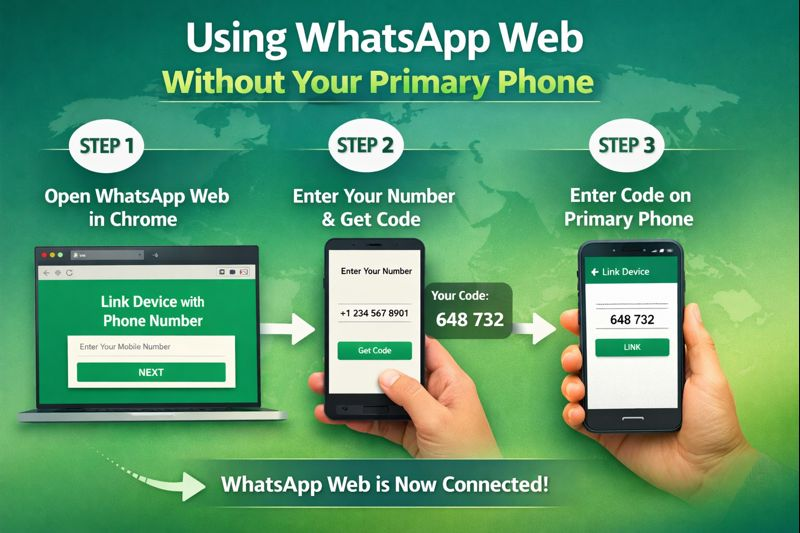
How can you access WhatsApp Web without your primary phone? If you do not have your primary phone with you or it is very far away from you, then you have to open WhatsApp Web in your Chrome browser. There you will find an option Link Device with Phone Number. You have to click on it. Now there you have to add the mobile number which is the WhatsApp number of your primary phone. As you add it, a code will be generated in front of you. After copying this code, you have to go to WhatsApp on your primary mobile and paste it in the Link Device option. Then your WhatsApp will open in your Chrome browser. Even if you do not have your primary mobile, this is a feature. But by using this feature, you can open WhatsApp on your mobile as WhatsApp Web in multiple devices, but still, you will have to give access from your primary mobile.
Conclusion
In today’s article, I have told you in detail about the Companion Device feature of WhatsApp and told you about WhatsApp Web. You can also see the comparison of both of them in this article. In addition, I have also told you how you can use both these features. In addition, I have also told you how you can use WhatsApp on your mobile if your primary mobile is not with you. After reading this article, all the confusion related to WhatsApp Web in your mind and all the questions in your mind will be removed and you will know everything related to WhatsApp Web and WhatsApp Companion Device. But if after that you have any other question related to this topic, then you can easily ask in the comment section.
Also Read
Whatsapp Most useful Upcoming Features in 2026 | Whatsapp ma ana wala kuch kamal ka features
Some Frequently Asked Questions
How to link companion device on WhatsApp without QR code?
You cannot use WhatsApp’s companion device feature without a QR code. You cannot link your mobile because in WhatsApp’s companion mode, you have to scan the QR code from your primary mobile, after which you can run your same WhatsApp on multiple devices. But if you don’t use a QR code, you cannot use this feature.
How to use WhatsApp more than 4 devices?
Since the companion device feature has been introduced in WhatsApp, you can log in to one WhatsApp account on four devices. For this, simply open your WhatsApp app and there you will get the Link Device option. Open the WhatsApp app on the mobile phone in which you want to open your WhatsApp, click on the three dots at the top, click on the Link as a Companion Device option and scan the QR code that appears with your primary mobile. In this way, you can open WhatsApp on four devices.
Can you use WhatsApp on multiple devices at the same time?
You can use your WhatsApp on multiple devices at the same time, but remember that whatever you do on one of your devices will also be shown on WhatsApp on your other mobile, whether you call, send a message, or perform any task on WhatsApp.