
Introduction of Google Gemini
Today Google Gemini has become a very viral topic. Google Gemini is an AI tool of Google which is trending a lot today and instead of being trending, it has very amazing features which make it very beneficial and that is why today it is trending topics on every social media platform YouTube. Google Gemini‘s image creation tool is a very amazing tool and apart from that, its video creation tool is a next-level tool by which you can create these videos for yourself and create your own AI photos. Where to compete with other AI tools, some such features have been added in Google Gemini‘s AI which make it better than other AI tools. In today’s article, I am going to discuss all those features and also provide you with some viral picture editing programs by which you can use them to edit your pictures on Google. You can edit with the Gemini tool.
Image creation tool of Gemini
Today, the most viral and trending topic on TikTok, YouTube, Instagram, and Gemini are its image creation tool. Gemini is a very powerful AI tool that you can use to perform various tasks in your daily life, but its main and most powerful tool is considered to be the image creation tool, with which you can generate any kind of AI image and it is so fast and responsive that no other tool can match it. In this AI tool, you can edit your Pictures in just a few steps and create pictures for yourself. But creating pictures is also the job of other AI tools, but the best feature that makes this AI tool better than other AI tools is its picture editing feature. Now people add many viral Prompt with their pictures to Gemini, after which google Gemini edit their pictures without face change related to the same Prompts. So, this ai picture editing is a very amazing feature of Google Gemini which other Ai platforms cannot do so accurately. This AI tool performs it accurately. That is why Google Gemini AI tool is going viral and trending on every social media platform.
How to get Prompts for Image creation
Now if you want Prompts for image creation, you can get many prompts like today on social media platforms TikTok and Instagram, many such posts will come in front of you in which viral prompts will be written along with their result image will also be showing how your image will be created after adding this prompt. You can copy the prompts from that post and paste it in your google ai or apart from that, there are many websites that provide you with promises. In the next heading, I will also inform you about these websites.
Best website for Viral Image Prompts
Now a website is going viral which provides you with thousands of viral image prompts which you can edit your pictures by copying and pasting them in Google Gemini. The name of the website is Banana Prompts and this website is available on Google where you will find thousands of viral image templates which you can edit your pictures by copying and pasting them. Apart from this, you will find many categories in this website by selecting the category and you can get your pictures edited in this way. You can get its prompts and there are many such features which you can also discover by visiting this website and this is a very best website. If you do not have any prompts to edit your pictures, then you can use this website to get the prompts for yourself. By using these prompts, you can edit your pictures in google Gemini.

Example
For example, there are many categories available here, including cartoons, 3D renderings, vector portraits, photography, fashion, and many other categories. Whichever category you select, you will see pictures related to it, with prompts written on them. These will be the result pictures that show you what kind of picture you will get after using this prompt. So, you can select the category you are interested in and copy the prompt of any picture that you like and use it to edit your own picture with Google Gemini.
Video Creation feature of Google Gemini
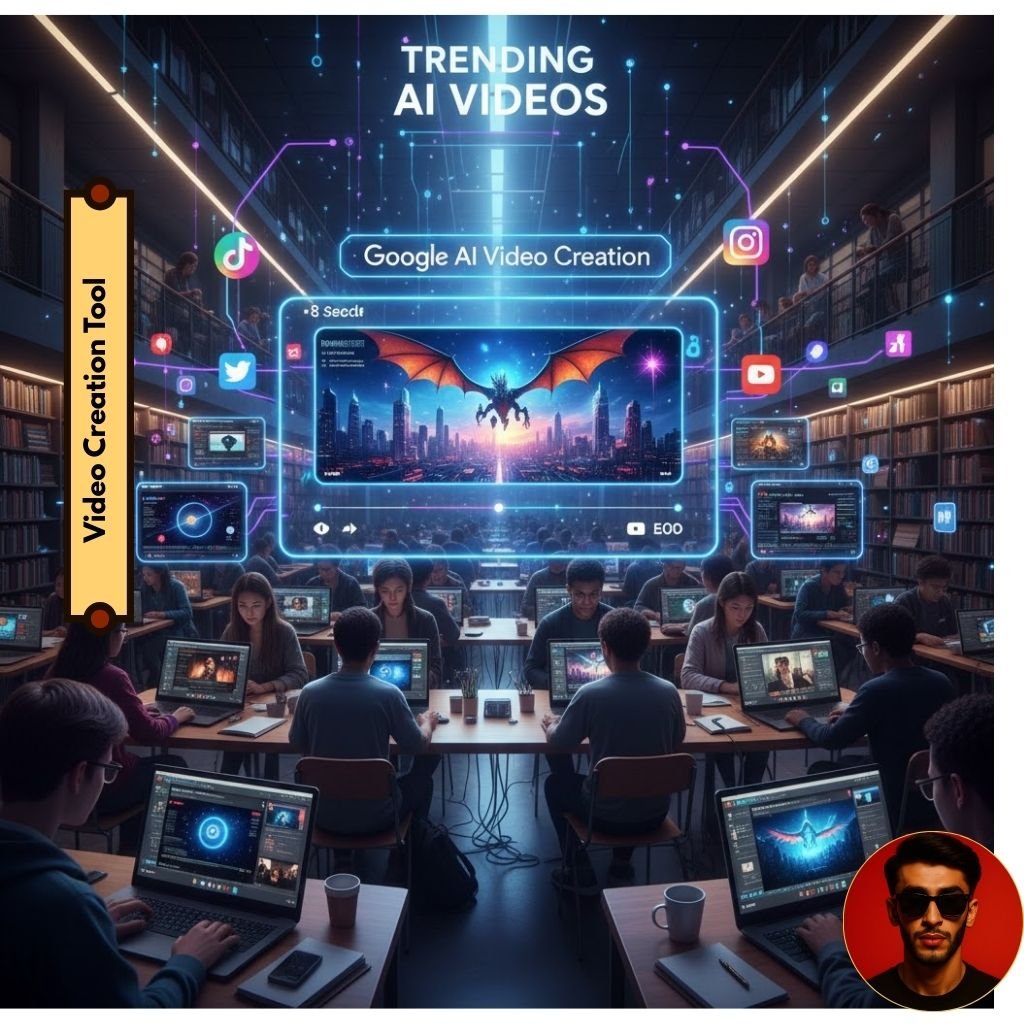
Now, this Google AI tool has a very powerful feature, the video creation feature. It is now considered the best tool in terms of video creation. At this time, it is being considered the best tool because the most AI videos that are going viral on social media are from this AI tool.
And the best thing about this one tool is that Google has specially designed this AI tool for students, where students can create videos for their daily assignments and homework, for their projects. Apart from this, I have told you about its image creation tool above, how powerful an AI tool it is, but along with this, its video creation tool is also as powerful as its image creation tool.
Along with image creation, Google AI’s video creation tool is very powerful, from where you can also generate videos for yourself. For now, there are some limitations where you are given some credits. Using them, you can create videos with this google AI tool, but you can only create that video for 8 seconds for now, but later Google may increase the video creation time in this AI tool, but even an eight second video is very perfect, and this AI tool can create videos in every language.
Some Viral AI Prompts for Your Picture editing
Now in this paragraph, I am going to provide you with many templates below which you can copy from this article and use for your own picture editing and above these templates, their result picture will also be shown to you what kind of picture will be created.
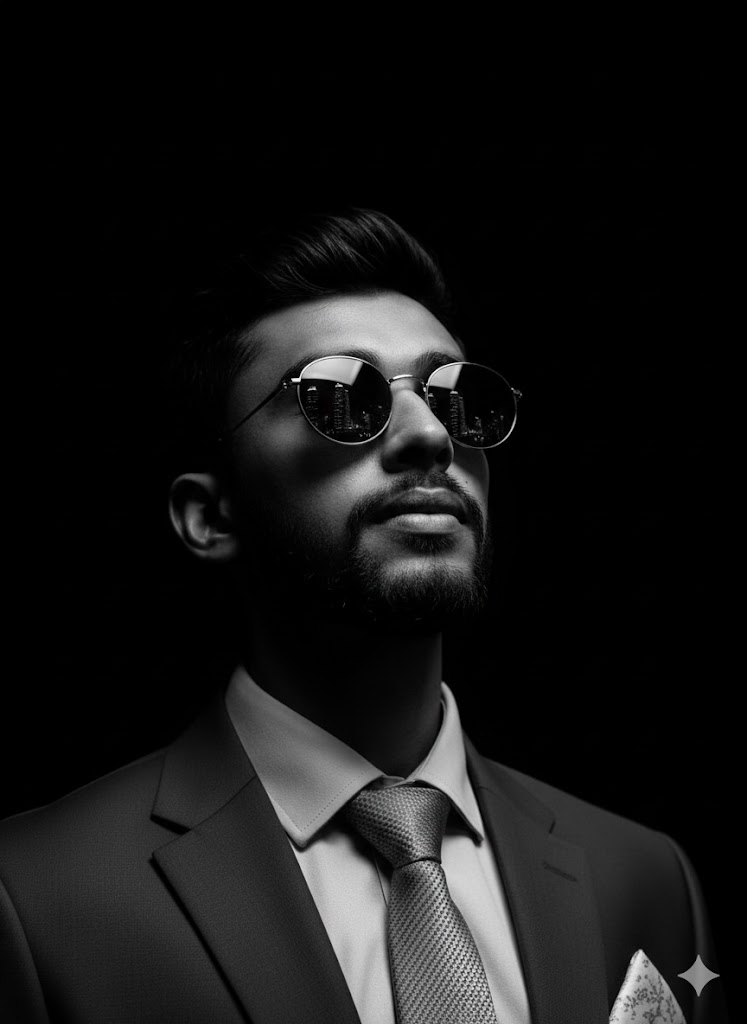
Prompt No 1
Dramatic, highly realistic close-up in black and white with high-contrast cinematic lighting, highlighting the shape of his face and beard, casting deep shadows. He wears round, sunglasses. He looks confidently up into a dark space. The sunglasses reflect the city’s towering skyline. Mysterious atmosphere with minimal black background. Details in 4K. Keep the original image of the subject’s exact texture, hair texture.
Prompt No 2
Change this image so that the man is sitting in the middle of a high-backed chair in a minimalist, monochromatic studio setting. Change the existing background to a single solid color with seamless walls and floors, either deep teal, slate blue, or forest green. Wear it with a matching jacket and pants of the same color, paired with a simple white T-shirt underneath. Keep his shoes clean and white with subtle accents to match the outfit. Accessorize with his wristwatch. His posture should be straight and composed, with both feet flat on the ground and his hands clasped gently in his lap. The chair should match the overall color scheme to create a seamless monochrome effect. The lighting should be soft, smooth, and studio-style, with minimal shadows. The final image should be extremely high resolution, sleek, modern and minimal in the style of high fashion portrait photography.

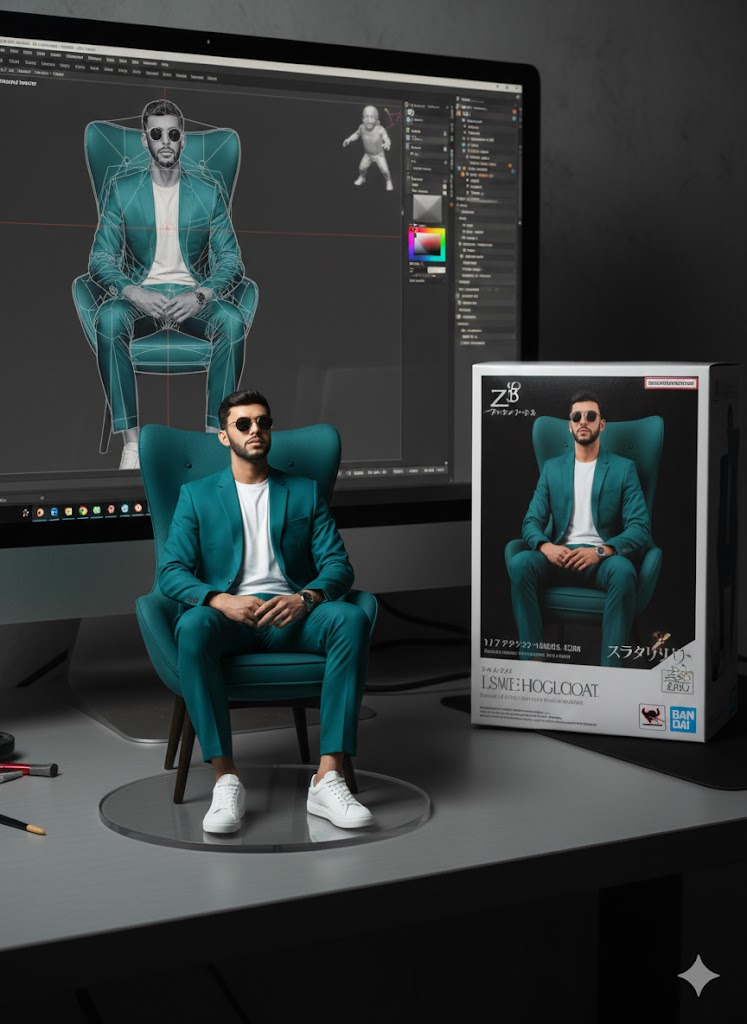
Prompt No 3
create a 1/7 scale commercialized figure of the character in the illustration, in a realistic style and environment. Place the figure on a computer desk, using a circular transparent acrylic base without any text. On the computer screen, display the Brush modeling process of the figure. Next to the computer screen, place a BANDAI-style toy packaging box printed with the original artwork.
Prompt No 4
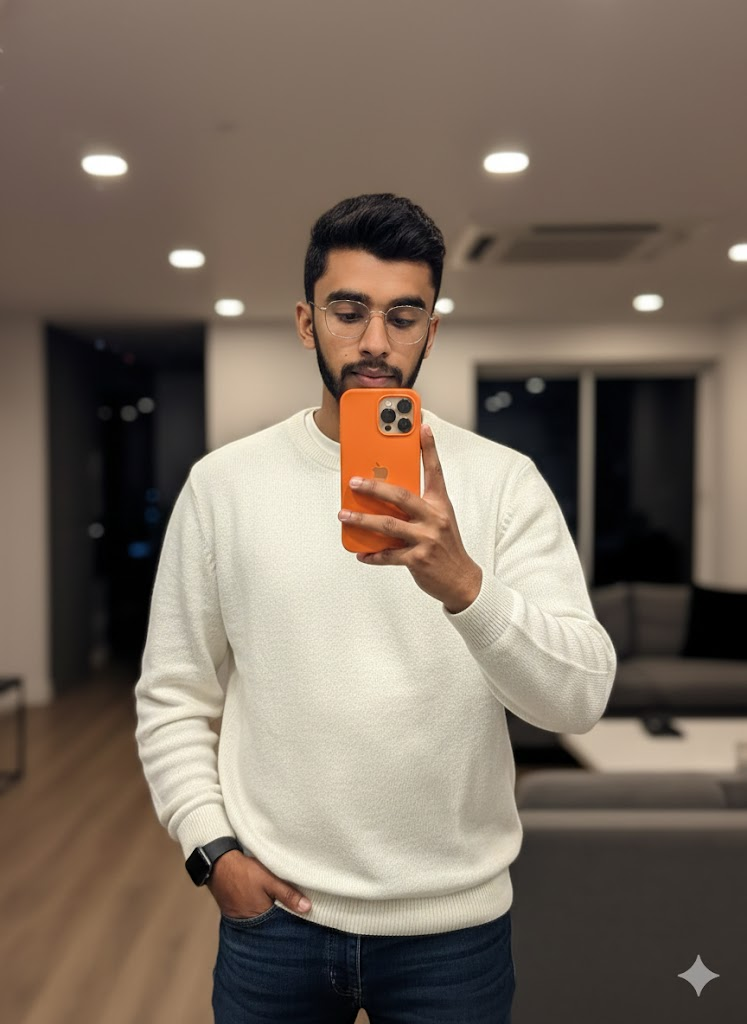
Use the uploaded photo to create an Ultra-realistic mirror selfie of a stylish man with glasses.He is wearing a loose white sweater layered over a crisp white T-shirt, paired with dark blue denim jeans.He holds a new modern iPhone 17 smartphone orange color in one hand, partially covering his face, while his other hand rests casually in his pocket.The scene is set in warm indoor lighting, creating a cinematic, moody atmosphere with soft shadow”
Conclusion
In today’s article, I have told you the related details of Google Gemini AI Tool and shared with you the importance of its image creation tool and its video creation tool. In this article, I have told you how powerful AI tools are. In today’s article, I have mentioned how you can get viral prompts for your image creation. I have mentioned some websites related to Google Gemini picture editing prompts and some viral prompts have also been shared with you. Thank You.





1 thought on “Detailed review of Google Gemini Image Creation Tool And some Viral Prompts For Google Gemini”